

The short version
What you need to know.
- NBN Co says more customers are now connected to full fibre than legacy copper for the first time.
- As of 30 June 2026, 47% of NBN services were on wholesale tiers of at least 100Mbps and 37% were on 500Mbps or faster.
- A modern router with gigabit Ethernet can suit a 500Mbps or 750Mbps plan; 2Gbps plans require at least a 2.5GbE WAN port to avoid an immediate bottleneck.
- Poor coverage, router placement and wireless backhaul often matter more than buying the fastest available Wi-Fi standard.
Australia has reached a genuine NBN tipping point
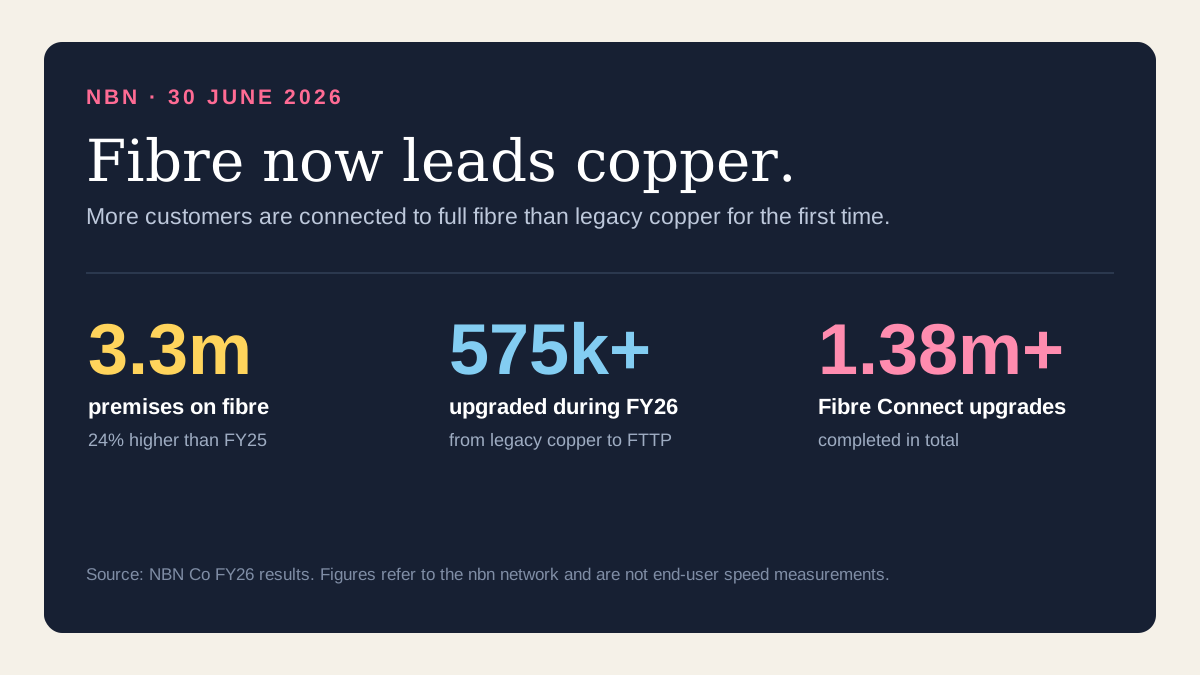
NBN Co's latest full-year results contain a milestone that would have sounded unlikely during the most frustrating years of the network rollout: more customers are now connected to fibre than copper for the first time.
The company says it upgraded more than 575,000 homes and businesses from legacy copper to Fibre to the Premises during the year to 30 June 2026, lifting the number of premises on its fibre network to 3.3 million. More than 1.38 million premises have now completed an upgrade through the Fibre Connect program.
The change is important because FTTP is not simply a faster version of the same copper connection. Fibre is less constrained by line length and copper quality, can support higher upload and download tiers, and gives NBN Co a clearer path to future upgrades. It does not, however, remove every cause of slow internet inside a home.
High-speed NBN is no longer a niche product
The type of connection is only half the story. NBN Co also reported that more than four million homes and businesses were using wholesale speeds of at least 100Mbps. As of 30 June, 47% of services were on 100Mbps or faster and 37% were on 500Mbps or faster, compared with just 4% at 500Mbps or above one year earlier.
That enormous change was helped by the September 2025 speed acceleration. The wholesale tier previously associated with 100/20Mbps became Home Fast II at 500/50Mbps for eligible FTTP and HFC customers. Superfast moved to 750/50Mbps, Ultrafast moved to approximately 1000/100Mbps, and Hyperfast introduced a 2000Mbps download tier.
Those are wholesale peak information rates, not a promise that every speed test will display the number on the plan. Retail-provider capacity, network conditions, the service technology, Ethernet overhead, the test server and equipment inside the home can all affect the result.
The first router check is the WAN port
The WAN port is the Ethernet socket connecting your router to the NBN connection box. If that port is limited to one gigabit per second, the entire home shares that ceiling. Real throughput will also sit below the theoretical port speed once protocol overhead is included.
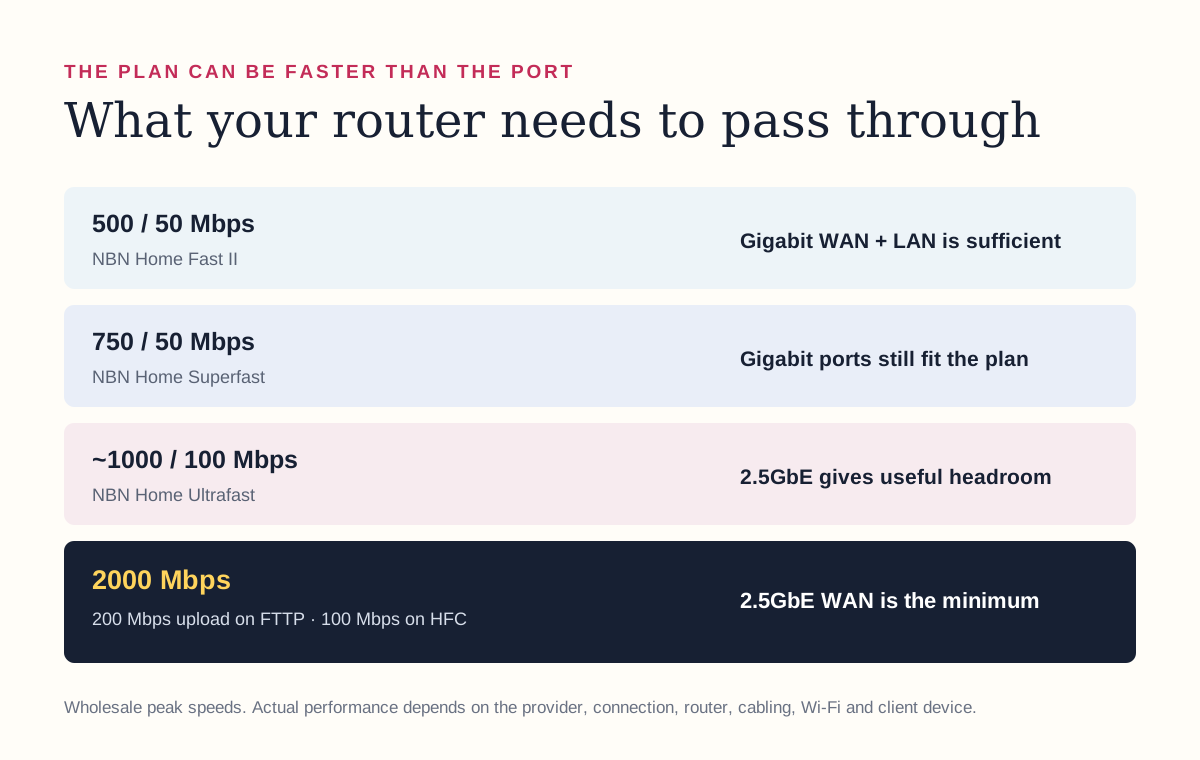
For a 500/50Mbps or 750/50Mbps plan, a router with gigabit WAN and LAN ports is normally sufficient. On an approximately 1000Mbps plan, a gigabit port can still deliver a very fast connection, but a 2.5GbE port provides headroom and avoids the port becoming the limiting factor. A 2000Mbps plan needs at least a 2.5GbE WAN port; a one-gigabit port cannot carry two gigabits, regardless of the Wi-Fi number printed on the box.
Look at the LAN side too. A router can accept a 2Gbps internet connection through one port and then restrict a wired computer or mesh backhaul through a slower one-gigabit LAN port. Multi-gigabit plans make the whole path relevant: connection box, cable, WAN port, router processor, LAN port, access point and client device.
- 500Mbps plan: gigabit WAN and LAN ports are appropriate.
- 750Mbps plan: gigabit ports still fit, although real Wi-Fi speed will vary by device and room.
- Approximately 1000Mbps plan: 2.5GbE is useful if achieving the highest possible result matters.
- 2000Mbps plan: 2.5GbE WAN is the practical minimum, with multi-gig LAN or multiple clients needed to use the capacity.
Wi-Fi speed is not the same as NBN speed
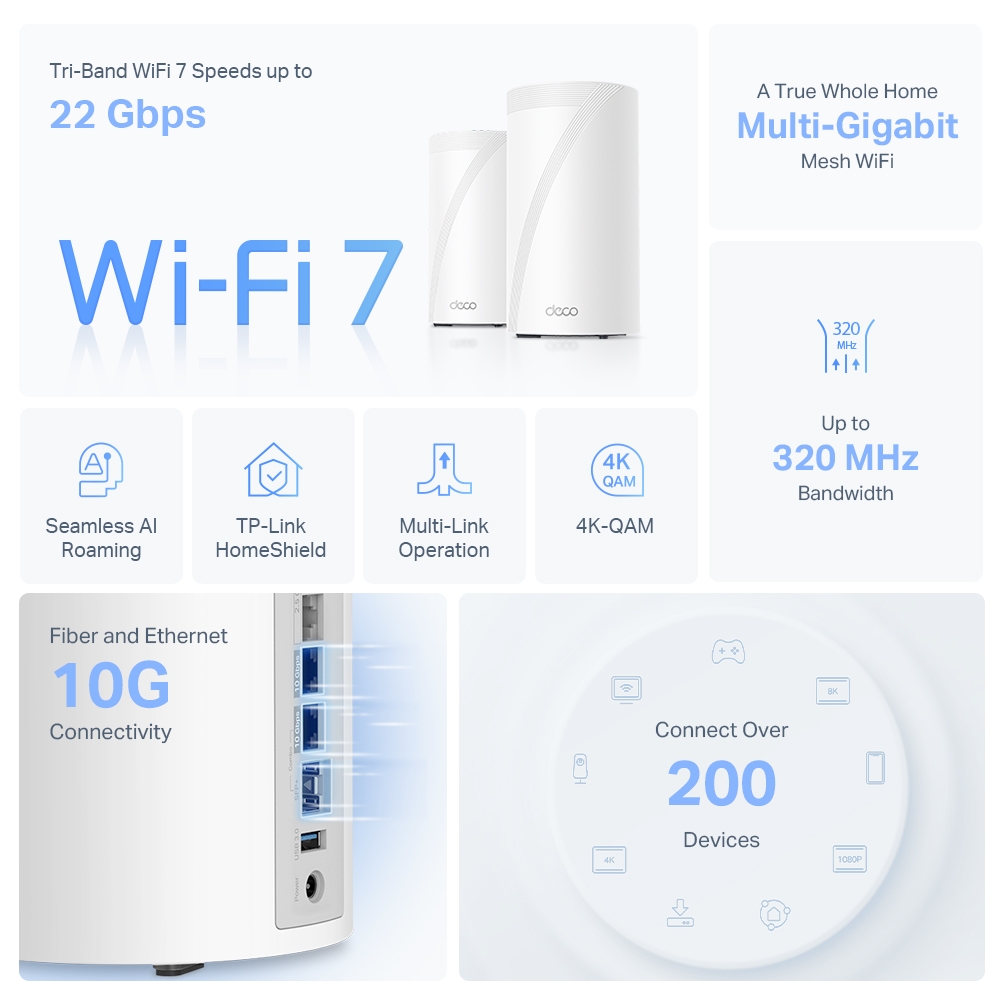
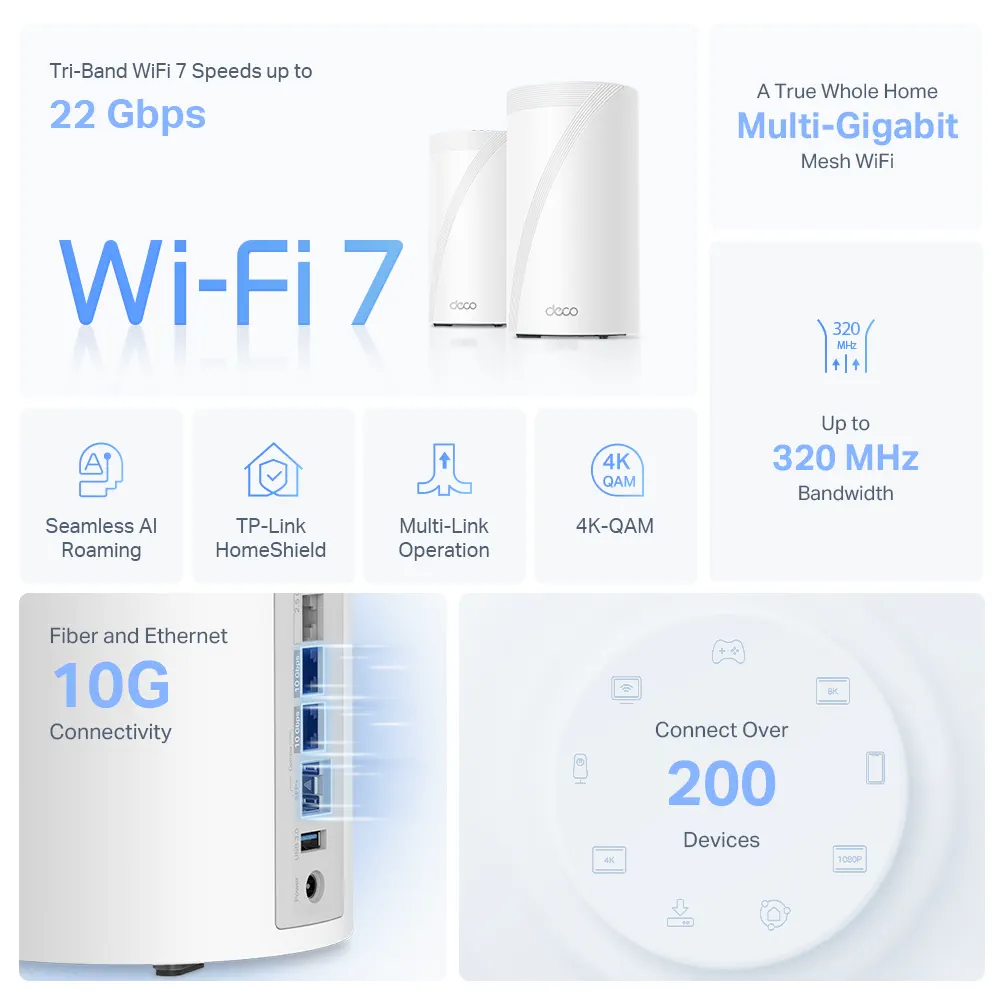
A router advertised as AX3000, BE11000 or 22Gbps is not promising that one device will download at that speed. Those figures combine theoretical capacity across radios, channels and frequency bands under ideal conditions. Your phone or laptop connects through one compatible radio link, while walls, distance, interference and neighbouring networks reduce the usable result.
Wi-Fi 6 is capable of serving a 500Mbps plan well when the router is properly placed and the client device is compatible. Wi-Fi 6E and Wi-Fi 7 add access to the cleaner 6GHz band and can provide much higher local speeds at short range, but 6GHz does not penetrate walls as well as lower frequencies. A new standard cannot compensate for hiding the only router in a metal cabinet at one end of a double-storey brick home.
The same applies to mesh. Mesh improves coverage by placing access points closer to users; it does not create extra internet capacity. A satellite connected wirelessly must use airtime to communicate back to the main unit, so its location and backhaul design matter. Ethernet backhaul is the most dependable way to preserve speed between nodes when a home can support it.
Do you actually need a new router?
Not automatically. A household that has been moved onto a faster wholesale tier may see an immediate improvement without changing anything. If the current router has gigabit Ethernet, stable Wi-Fi 6 and enough coverage for the home, it can remain perfectly useful on a 500Mbps plan.
Replacement makes more sense when the hardware creates a measurable limitation: the WAN port is capped at 100Mbps, the router only supports an older Wi-Fi generation, important rooms have weak coverage, the processor struggles under load, security updates have ended, or the family needs controls and network features the current unit cannot provide.
It is also worth checking the conditions attached to an ISP-supplied router. Some providers require hardware to be returned or charge a fee if the service is cancelled within a specified period. Households using an NBN phone service may need provider-specific voice support even when an independently purchased router handles internet access correctly.
- Keep it: gigabit ports, reliable coverage, current security updates and performance that matches the plan.
- Reposition it: good speed nearby but weak performance in predictable parts of the home.
- Add mesh or access points: coverage is the main issue across multiple rooms or floors.
- Replace it: 100Mbps ports, unstable hardware, expired updates or no path to the plan speed you are paying for.
- Upgrade to multi-gigabit hardware: only when using a gigabit or 2Gbps plan and there is a real workload or several users capable of consuming it.
Most homes still do not need 2Gbps
A 2Gbps service is impressive, but it is a capacity product more than a magic responsiveness upgrade. Video calls, web browsing and ordinary streaming do not become twice as responsive simply because a household moves from 1000Mbps to 2000Mbps. Latency, server performance and Wi-Fi conditions remain important.
The strongest cases are homes with many heavy users, repeated large downloads, cloud backups, creators moving large media files, or advanced networks distributing traffic across several wired and wireless clients. Even then, the upload rate deserves attention: Hyperfast is listed at 200Mbps upload on FTTP and 100Mbps on HFC, so it is not a symmetrical two-gigabit service.
For many households, spending the same money on better coverage, wired backhaul or a reliable provider will improve daily experience more than buying the fastest plan. The right target is not the largest speed-test result; it is removing the bottleneck people actually notice.
A five-minute NBN and Wi-Fi audit
Before buying anything, record the connection technology, plan speed and router model. Then test methodically. One good wired result and several room-by-room Wi-Fi results reveal far more than repeatedly testing from the same phone beside the router.
- Confirm whether the premises uses FTTP, HFC, FTTN, FTTC, fixed wireless or satellite.
- Check the plan's typical evening speed as well as its headline wholesale tier.
- Run a wired Ethernet test from a gigabit-capable computer where possible.
- Test Wi-Fi beside the router and again in the rooms where speed or stability matters.
- Check the router's WAN and LAN port speeds, Wi-Fi generation and remaining software support.
- Fix placement and coverage before paying for a faster plan that must travel through the same weak Wi-Fi setup.
Primary sources
Read the evidence.
- NBN Co FY26 results and the fibre-led milestoneNBN Co ↗
- Current NBN residential wholesale speed tiersNBN Co ↗
- Why your Wi-Fi router mattersNBN Co ↗
- Real-world performance of upgraded high-speed NBN plansAustralian Competition and Consumer Commission ↗
- FTTP connection boxes and multi-gigabit capabilityNBN Co ↗
Information was checked on 27 August 2026. NBN availability, retail plan names, typical evening speeds, equipment and provider terms can change. NBN speed figures are wholesale peak information rates rather than guaranteed end-user speeds.
Community
Add to the article.
Useful experiences, questions and corrections make the next reader’s decision easier.
Comments appear here after moderation.