
The short version
What you need to know.
- Both HomeView models cost A$449 including GST; Australian availability starts 13 November.
- A18, a 7-inch touchscreen and a 12MP camera bring home controls, FaceTime and entertainment together.
- Wired power and a compatible iPhone or iPad are required; wall mounts cost extra.
Apple’s smart home gets a screen
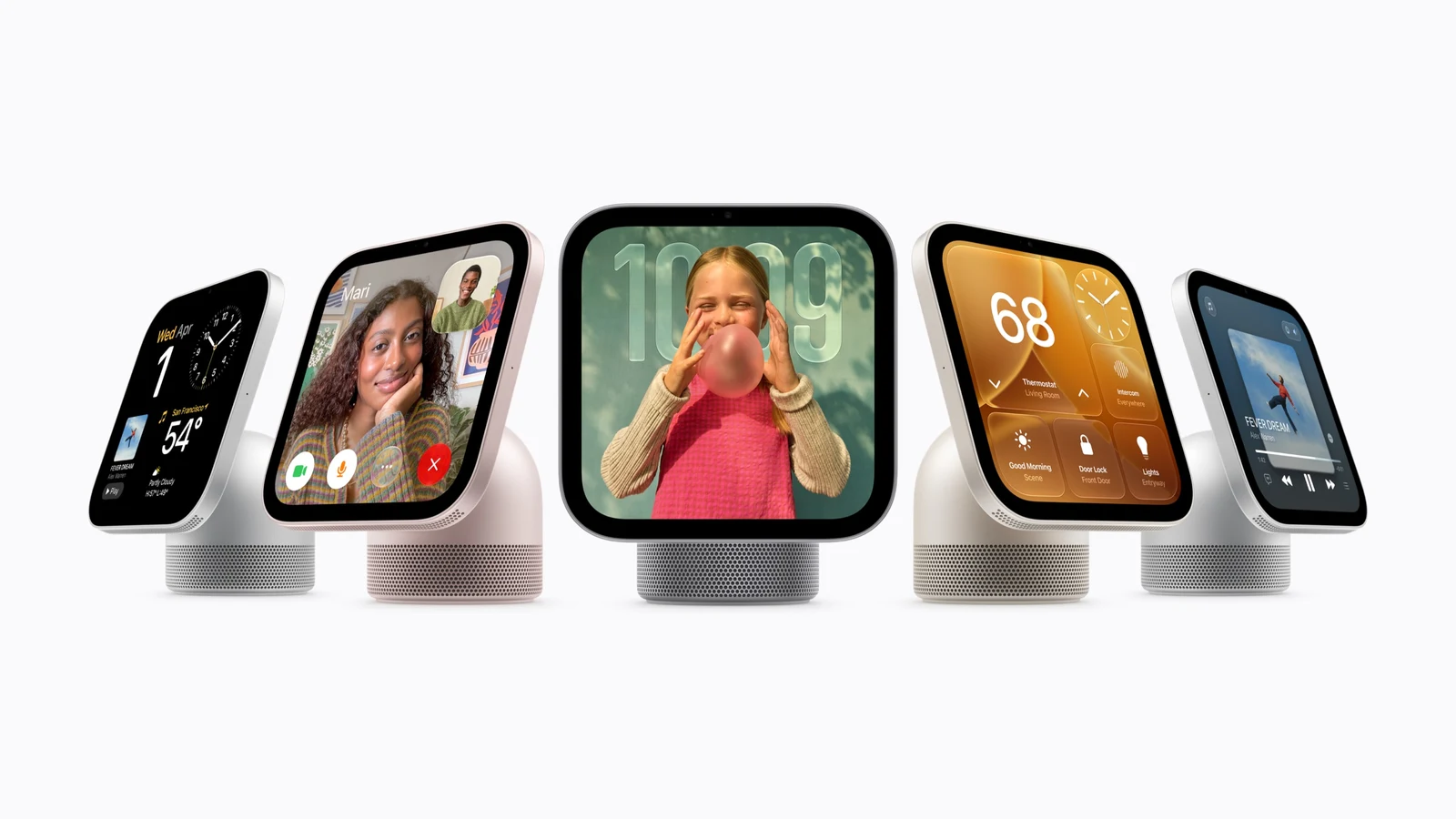
Apple has finally given its smart home a screen. The new Apple HomeView puts Siri AI, household controls, FaceTime and entertainment into a dedicated display, and I’m excited to see what Apple’s first smart-home screen can do. Excited enough that I’ve already pre-ordered one.
This is a launch preview, so the proper judgement will come when it arrives. For now, there is plenty here worth a look, along with some important fine print before you hand over your money.
Australian price and release date
Apple’s Australian announcement confirms pre-orders open today, 14 October 2026, with availability from Friday, 13 November. Both the tabletop HomeView and separate wall-mounted model cost A$449 including GST.
The tabletop version comes in Silver, Starlight, Rose Pink and Space Grey. The wall-mounted model offers Silver or Space Grey, with Schneider Home mounts costing extra: A$94.95 for USB-C or A$124.95 for AC wired. The A$199.95 Power over Ethernet mount is due in early 2027.
A screen the whole household can use
HomeView’s main pitch is a shared device that can recognise up to six people and show each person their own information. Walk up to check your calendar or messages, then leave it displaying shared photos, music or home controls.
Apple says personal content normally requires your paired iPhone or iPad on the same Wi-Fi network, recently unlocked, with HomeView recognising your face. Guests can still use things like timers, weather and smart-home controls. That separation matters when a screen lives in the kitchen rather than your pocket.
There are useful everyday touches too. Safari can turn a recipe into a simpler cooking view, while the Home Camera face can show up to nine video feeds. I can see the appeal of checking a recipe without picking up the phone and somehow ending up twenty minutes deep in something completely unrelated.
What’s inside HomeView?
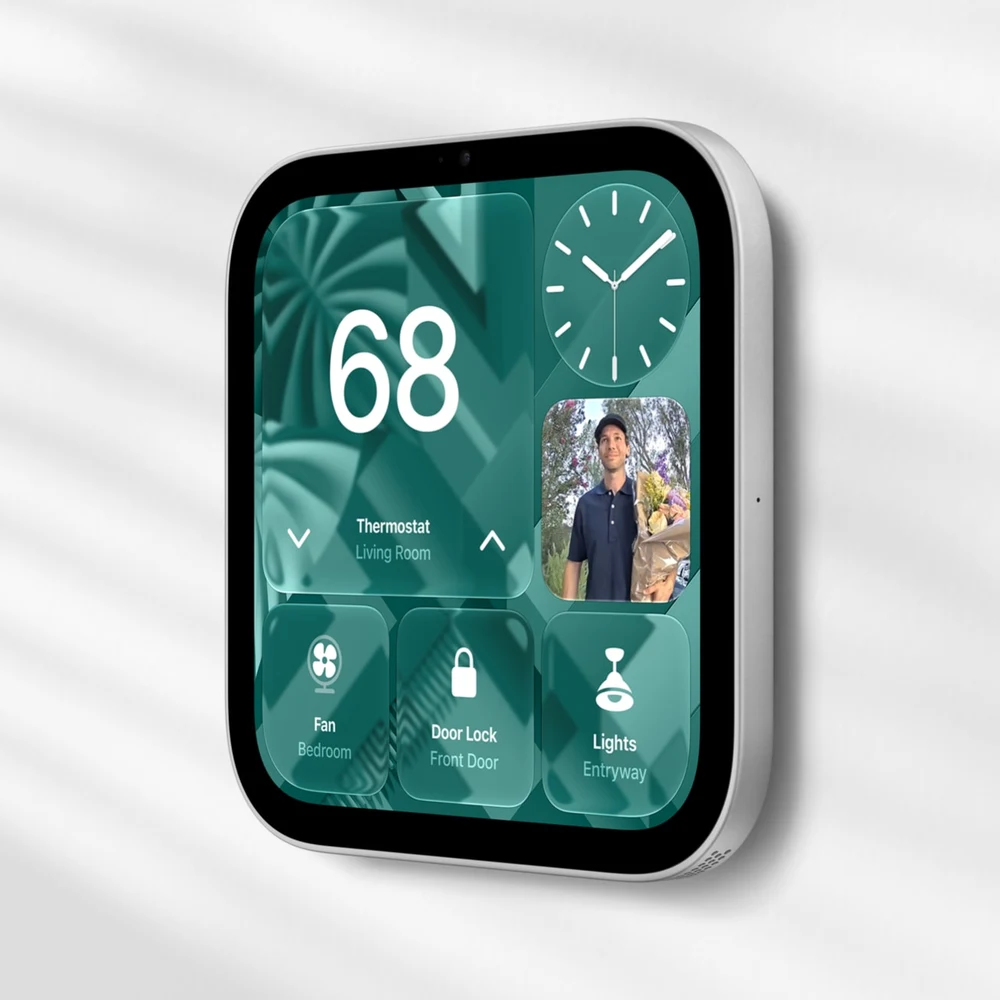
The official specifications list a 7-inch, 1088-by-1088 Liquid Retina touchscreen, Apple’s A18 chip and a 12MP Center Stage camera. Brightness ranges from 500 nits down to 0.3 nits, which should help it suit both daytime use and a bedside table.
The tabletop model adds a woofer and passive radiators to its two full-range speakers; the wall version has two full-range drivers. Both support Spatial Audio, Wi-Fi 6E and Thread. Sound quality will need proper testing, particularly if you’re choosing between the two designs.
Both need wired power. The tabletop unit includes a USB-C cable and 30W adapter, while the wall-mounted version needs a separately purchased mount and power solution. Budget for the whole installation.
Check the Apple ecosystem requirements
Apple’s specifications require an iPhone running iOS 27.2 or later, or an iPad running iPadOS 27.2 or later. Household members need an Apple Account and a compatible device for their personalised experience. Apple’s store explains how HomeView connects to the Home app; it controls compatible HomeKit and Matter accessories.
Siri AI arrives in beta, initially in English. Its personal-context features require a paired Apple Intelligence-capable iPhone or iPad. Apple also flags usage limits for some cloud-based AI features and plans paid expanded access, so don’t assume every AI capability means unlimited use forever. Apple’s usage-limit guidance is worth checking.
My HomeView video is coming
I’m keen to find out whether HomeView earns a permanent spot at home. The real test will be how useful the screen and Siri feel during normal daily use, once the launch-day excitement has worn off.
I’ll be making a video when my pre-order arrives. Subscribe to TechManPat on YouTube for that, and watch Apple’s official HomeView overview below while we wait.
Watch Apple’s official HomeView overview on YouTube →
Primary sources
Read the evidence.
- Australian launch announcementApple ↗
- HomeView features and qualificationsApple ↗
- Technical specificationsApple ↗
- Australian store and Home app informationApple ↗
- Apple Intelligence usage limitsApple ↗
- Official HomeView overviewApple ↗
Independent launch preview based on Apple’s Australian announcement, specifications and support guidance, checked 14 October 2026. Pat has pre-ordered a unit; this is not a hands-on review. Product imagery is supplied by Apple Newsroom.
Community
Add to the article.
Useful experiences, questions and corrections make the next reader’s decision easier.
Comments appear here after moderation.